How to Clean Your Phone and Keyboard Safely: Step-by-Step Guide
Keeping your phone and keyboard clean is essential—not just for appearance but also for hygiene and device longevity. These devices often harbor dust, germs, and dirt due to daily use. However, cleaning them incorrectly can cause damage. In this guide, we’ll walk you through safe and effective methods to clean your phone and keyboard, so your gadgets stay fresh and function well.
Why Cleaning Your Devices Matters
Our phones and keyboards are among the most frequently touched objects. They accumulate oils from skin, food particles, dust, and even bacteria and viruses. Regular cleaning helps:
– Maintain hygiene and reduce the risk of germs
– Improve device performance by preventing dust buildup
– Prolong the life of your devices
– Keep screens and keys looking new
Now, let’s get started with the step-by-step process.
What You’ll Need
Before you begin, gather the proper supplies to ensure safe cleaning:
– Microfiber cloths (lint-free, soft)
– Distilled water
– Isopropyl alcohol (70% or less concentration)
– Cotton swabs or soft brushes
– Mild dish soap (optional)
– Compressed air can (optional)
– Screen-safe cleaning wipes (optional)
Avoid harsh chemicals, bleach, aerosol sprays, or abrasive materials, as these can damage surfaces or remove coatings.
—
# How to Clean Your Phone Safely
Phones have delicate screens and sensitive components, so cleaning must be gentle and careful.
1. Power Off and Unplug
– Turn off your phone.
– Disconnect any cables or accessories.
– Remove phone cases if possible.
2. Wipe Down the Exterior
– Lightly dampen a microfiber cloth with distilled water or a 70% isopropyl alcohol solution.
– Gently wipe the front, back, and sides of the phone.
– Avoid using too much liquid; never spray water or cleaner directly on the device.
– For stubborn spots, use a slightly dampened cloth with mild soap, then wipe with a water-dampened cloth again.
3. Clean the Screen
– Use a dry microfiber cloth to remove fingerprints and smudges.
– If needed, dampen the cloth with distilled water or screen-safe cleaner.
– Wipe gently in circular motions.
– Avoid pressing hard, as it might damage the screen.
4. Clean Ports and Speakers
– Use a dry cotton swab or a soft brush to remove dust from charging ports and speaker grilles.
– Compressed air can help blow out debris but use short bursts and hold the can upright.
5. Disinfecting Tips
– Isopropyl alcohol at 70% concentration is safe for most phones.
– Don’t use bleach or hydrogen peroxide.
– Use minimal liquid to prevent moisture entry.
—
# How to Clean Your Keyboard Safely
Keyboards collect dust, crumbs, and germs between and beneath keys. Cleaning regularly keeps them working properly.
1. Unplug the Keyboard
– If it’s a wired keyboard, unplug it.
– For wireless keyboards, power it off.
2. Remove Loose Debris
– Turn the keyboard upside down and gently shake to dislodge crumbs.
– Use compressed air to blow dust away from between keys.
– A soft brush can also help remove particles.
3. Clean the Keycaps
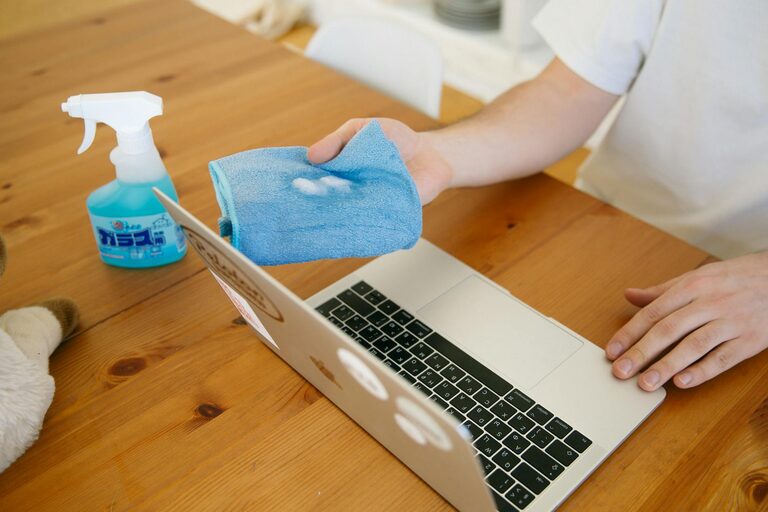
– Lightly dampen a microfiber cloth with water or mild soapy water.
– Wipe the entire keyboard surface carefully.
– Do not soak the keyboard or let moisture drip underneath.
4. Disinfect the Keyboard
– Use a cloth lightly dampened with 70% isopropyl alcohol.
– Wipe keys and surfaces with gentle motions.
– Let the keyboard dry completely before plugging back in or turning on.
5. Deep Cleaning (Optional)
– For removable keycaps (mostly mechanical keyboards), you can gently pry keys off using a keycap puller.
– Soak keys in warm, soapy water for 15–30 minutes.
– Dry them thoroughly before reassembling.
—
# Additional Tips to Keep Your Devices Clean Longer
– Wash your hands before using your devices.
– Avoid eating over your keyboard or phone.
– Use screen protectors and keyboard covers that are easy to clean.
– Clean regularly—ideally once a week or as needed.
—
# What to Avoid When Cleaning Electronics
– Avoid abrasive cloths or paper towels that scratch surfaces.
– Never spray liquids directly on screens or keyboards.
– Avoid household cleaners with ammonia or bleach.
– Don’t submerge devices in water.
– Be cautious with compressed air; never shake the can and use short bursts.
—
Final Thoughts
Regularly cleaning your phone and keyboard using these safe methods helps keep your gadgets hygienic and functioning well. With simple tools like microfiber cloths and isopropyl alcohol, you can maintain your devices’ appearance and extend their lifespan without any risk of damage.
Clean devices are happy devices! Set a routine to give your phone and keyboard a gentle wipe-down, and enjoy the feeling of fresh, germ-free technology every day.