
How to Clean Your Phone and Keyboard Safely Without Damage
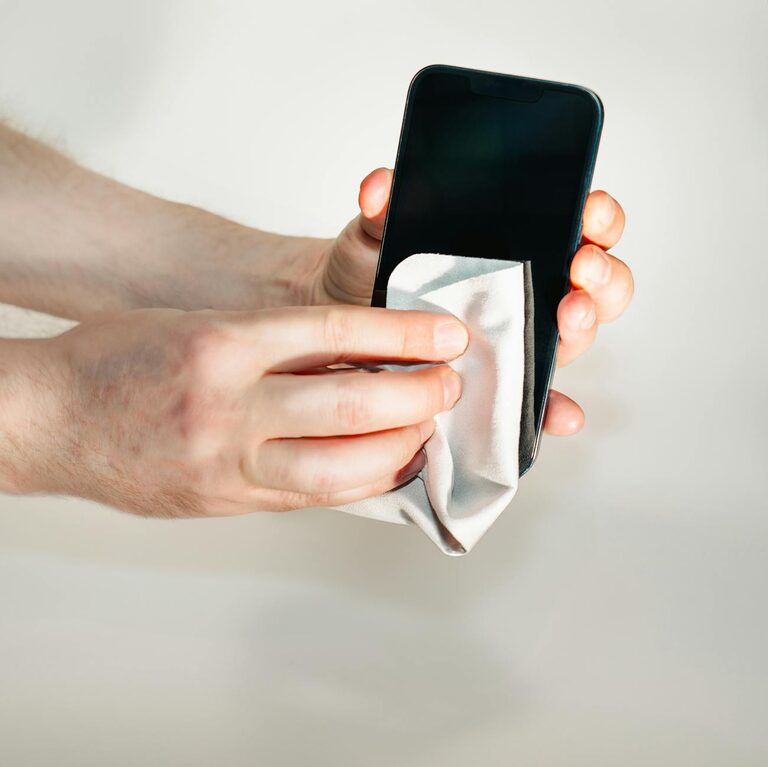
Keeping your phone and keyboard clean is essential not only for hygiene but also for maintaining the devices’ performance and longevity. Everyday use exposes these gadgets to dirt, oils, and germs, so regular cleaning is a must. However, because electronics are sensitive, it’s important to clean them safely to avoid damage. This guide will walk you through easy, effective steps to clean your phone and keyboard without causing any harm.
Why Clean Your Phone and Keyboard?
Phones and keyboards are used frequently, often without washing hands first. This means:
– They can harbor bacteria and germs.
– Dirt and grime can build up and affect performance.
– Keyboards may get sticky or keys might stop responding.
– Phones’ screens can become smudged, reducing clarity.
Regular cleaning helps keep your devices looking and working their best while promoting good hygiene.
What You Will Need
Before you begin, gather some basic cleaning supplies:
– Microfiber cloths (soft and lint-free)
– Cotton swabs or soft brushes
– Isopropyl alcohol (70% solution or less)
– Distilled water
– Small spray bottle (optional)
– Compressed air canister (optional)
Avoid harsh chemicals, bleach, or abrasive materials as these can damage coatings and screen surfaces.
—
How to Clean Your Phone Safely
Phones are sensitive to moisture and harsh cleaners, so use gentle methods.
Step 1: Power Off Your Phone
Always turn off your device and unplug any cables before cleaning. This prevents accidental damage or electrical issues.
Step 2: Remove the Case
Take off any phone case or cover to clean both the phone and the case separately.
Step 3: Wipe with a Dry Microfiber Cloth
Use a clean microfiber cloth to gently wipe fingerprints, oils, and dust from the screen and body.
Step 4: Prepare a Cleaning Solution
Mix equal parts distilled water and 70% isopropyl alcohol in a spray bottle. Lightly spray onto your microfiber cloth—never directly on the phone.
Step 5: Clean the Phone Surface
Wipe the phone screen and body carefully with the dampened cloth. Avoid letting moisture seep into ports, buttons, or speakers.
Step 6: Clean Small Areas
Use a cotton swab lightly dampened with the solution to clean around buttons, cameras, and ports. Be gentle and avoid excess moisture.
Step 7: Dry Your Phone
Finish by wiping again with a dry microfiber cloth to remove any remaining moisture.
Step 8: Clean the Case
If your case is plastic or silicone, wash it with mild soap and water, rinse, and dry thoroughly.
—
How to Clean Your Keyboard Safely
Keyboards collect dust, crumbs, and oils that can interfere with typing.
Step 1: Unplug or Turn Off
If you have a wired keyboard, unplug it. For wireless keyboards, power off or remove batteries.
Step 2: Remove Loose Debris
Turn the keyboard upside down and gently shake or tap it to dislodge loose dirt and crumbs. You can also use a can of compressed air to blow out harder-to-reach particles.
Step 3: Wipe the Surface
Use a microfiber cloth dampened with a mixture of equal parts distilled water and isopropyl alcohol to wipe the keys and keyboard surface. Avoid spraying liquids directly onto the keyboard.
Step 4: Clean Between Keys
Dip a cotton swab or a soft brush in the cleaning solution and carefully clean between the keys to remove grease or build-up.
Step 5: Deep Cleaning (Optional)
For mechanical keyboards where keys can be removed, carefully pop off the keycaps and clean them individually in soapy water. Let them dry fully before reassembling.
Step 6: Let It Dry
Ensure the keyboard is completely dry before plugging it back in or turning it on.
—
Additional Tips to Maintain Clean Devices
– Wash hands regularly to reduce transfer of dirt and oils.
– Avoid eating or drinking near your devices to prevent spills.
– Clean your devices once a week or whenever visibly dirty.
– Use keyboard covers or phone screen protectors to minimize grime.
– Store devices in clean, dry places.
—
Common Mistakes to Avoid
– Spraying liquids directly onto devices.
– Using bleach, ammonia, or window cleaners on screens.
– Using abrasive cloths or paper towels that can scratch surfaces.
– Letting moisture enter charging ports or headphone jacks.
– Using excessive water or cleaning solution.
—
Conclusion
Cleaning your phone and keyboard safely helps maintain hygiene and device performance. Using gentle cleaning agents like diluted isopropyl alcohol and microfiber cloths is key to avoiding damage. By following these simple steps regularly, you keep your gadgets looking great and working properly for longer.
Remember, patience and care during cleaning go a long way in protecting your investment—and it feels great to use clean tech!